
项目地址
https://gitcode.com/gh_mirrors/si/simple-http-server.git使用方法
Simple HTTP Server
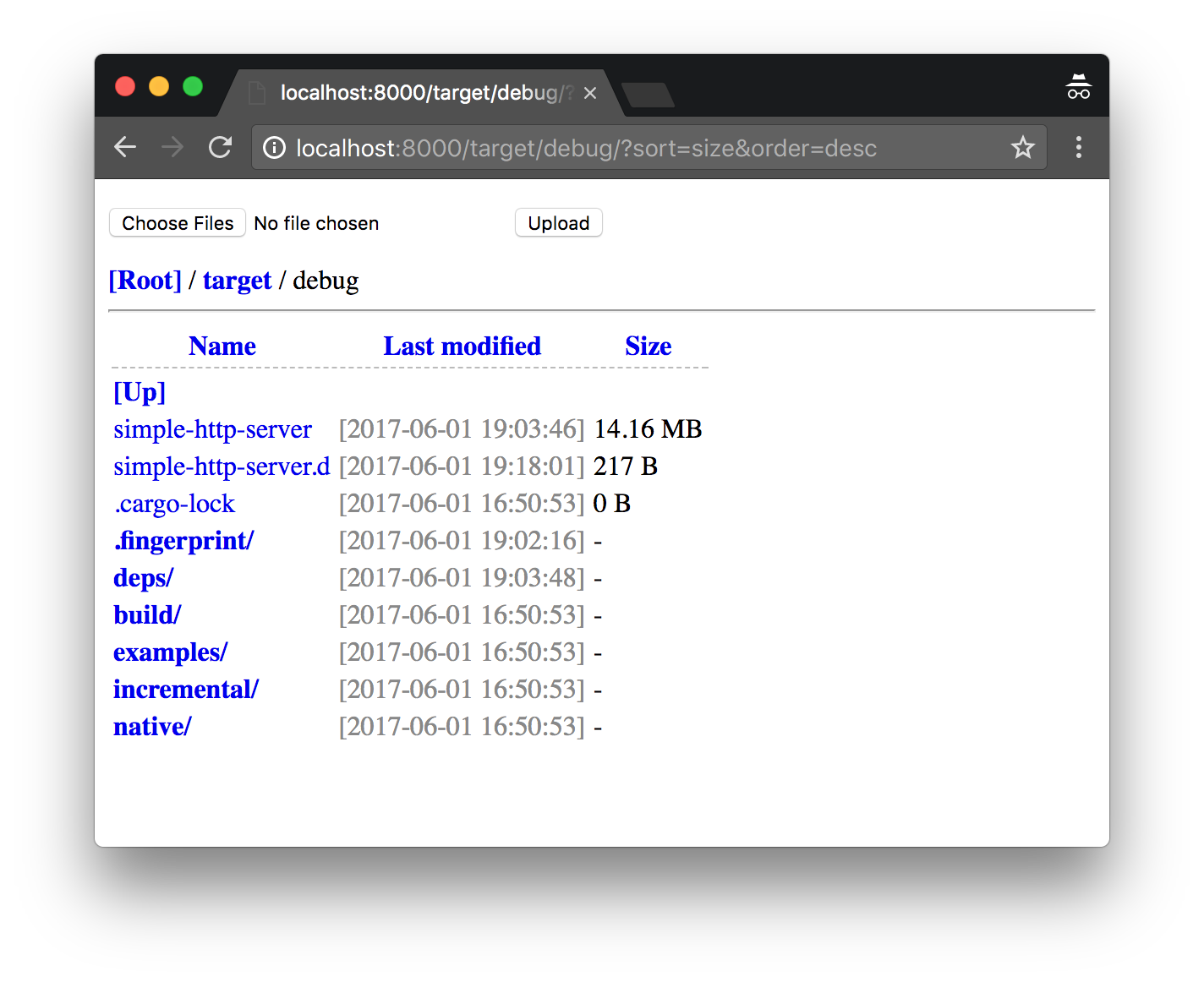
简单的静态文件服务器,支持目录列表、文件上传、基础认证、范围请求、压缩、跨域资源共享(CORS)、单页应用(SPA)回退,以及可选的 PKCS#12 HTTPS 支持。
当前实现基于 axum/tokio。TLS 支持由 tls 特性提供,默认处于禁用状态,以保持默认二进制文件体积较小。
安装
默认构建:
cargo install simple-http-server支持 PKCS#12 HTTPS:
cargo install simple-http-server --features tls使用方法
Usage: simple-http-server [OPTIONS] [root]

Arguments:
  [root]  Root directory

Options:
  -i, --index                     Enable automatic render index page [index.html, index.htm]
  -u, --upload                    Enable upload files. (multiple select) (CSRF token required)
      --csrf <TOKEN>              Use a custom CSRF token for upload. WARNING: this is dangerous as the token is passed via the command line and may be visible in process listings
      --redirect <URL>            takes a URL to redirect to using HTTP 301 Moved Permanently
      --nosort                    Disable directory entries sort (by: name, modified, size)
      --nocache                   Disable http cache
      --norange                   Disable header::Range support (partial request)
      --cert <FILE>               TLS/SSL certificate (pkcs#12 format, requires tls feature)
      --cors                      Enable CORS via the "Access-Control-Allow-Origin" header
      --coop                      Add "Cross-Origin-Opener-Policy" HTTP header and set it to "same-origin"
      --coep                      Add "Cross-Origin-Embedder-Policy" HTTP header and set it to "require-corp"
      --certpass <PASSWORD>       TLS/SSL certificate password (requires tls feature)
  -l, --upload-size-limit <SIZE>  Upload file size limit [bytes, or K/M/G/T suffix interpreted with powers of 1024, such as 30K, 50M, 1G] [default: 8M]
      --ip <IP>                   IP address to bind [default: 0.0.0.0]
  -p, --port <PORT>               Port number [default: 8000]
  -a, --auth <USER:PASS>          HTTP Basic Auth (username:password)
  -c, --compress <EXT>...         Enable file compression: gzip/deflate
                                  Example: -c=js,d.ts
                                  Note: disabled on partial request!
  -t, --threads <NUM>             How many worker threads [default: 3]
      --try-file <PATH>           Serve this file in place of missing paths. Relative paths are resolved against the server root; absolute paths are used as-is. [aliases: --try-file-404]
  -s, --silent                    Disable all outputs
  -o, --open                      Open the page in the default browser
  -b, --base-url <PATH>           Base URL prefix for directory indexes and upload redirects. It is normalized to start with '/' and to end with '/' when not root. [default: /]
  -h, --help                      Print help
  -V, --version                   Print version
示例
提供文件夹服务:
simple-http-server -i public启用上传功能并提高上传限制:
simple-http-server -u -l 50M .提供 SPA 回退文件服务:
simple-http-server --try-file dist/index.html dist在反向代理后运行,该代理在转发前会剥离 /static/:
simple-http-server --base-url /static/ .HTTPS 示例
1. 生成本地证书和 .p12 文件
mkdir -p /tmp/simple-http-server-tls
cd /tmp/simple-http-server-tls

openssl req \
  -x509 \
  -newkey rsa:2048 \
  -nodes \
  -sha256 \
  -keyout key.pem \
  -out cert.pem \
  -days 7 \
  -subj "/CN=localhost" \
  -addext "subjectAltName=DNS:localhost"

openssl pkcs12 \
  -export \
  -inkey key.pem \
  -in cert.pem \
  -out localhost.p12 \
  -passout pass:changeit
2.启动服务器
simple-http-server \
  -i \
  --ip 127.0.0.1 \
  --port 8443 \
  --cert /tmp/simple-http-server-tls/localhost.p12 \
  --certpass changeit \
  .
3.验证
严格验证:
curl --fail --silent --show-error \
  --cacert /tmp/simple-http-server-tls/cert.pem \
  https://localhost:8443/
4.快速本地测试:
curl -kI https://localhost:8443/
功能特性
支持带有面包屑导航的目录列表
可选的
index.html/index.htm渲染功能具备 CSRF 保护的文件上传
HTTP 基本认证
通过
Last-Modified和ETag实现 HTTP 缓存控制支持单范围的部分内容请求
gzip/deflate压缩功能CORS 支持及
COOP/COEP头信息通过
--try-file实现单页应用(SPA)回退通过
tls特性支持可选的 PKCS#12 HTTPS